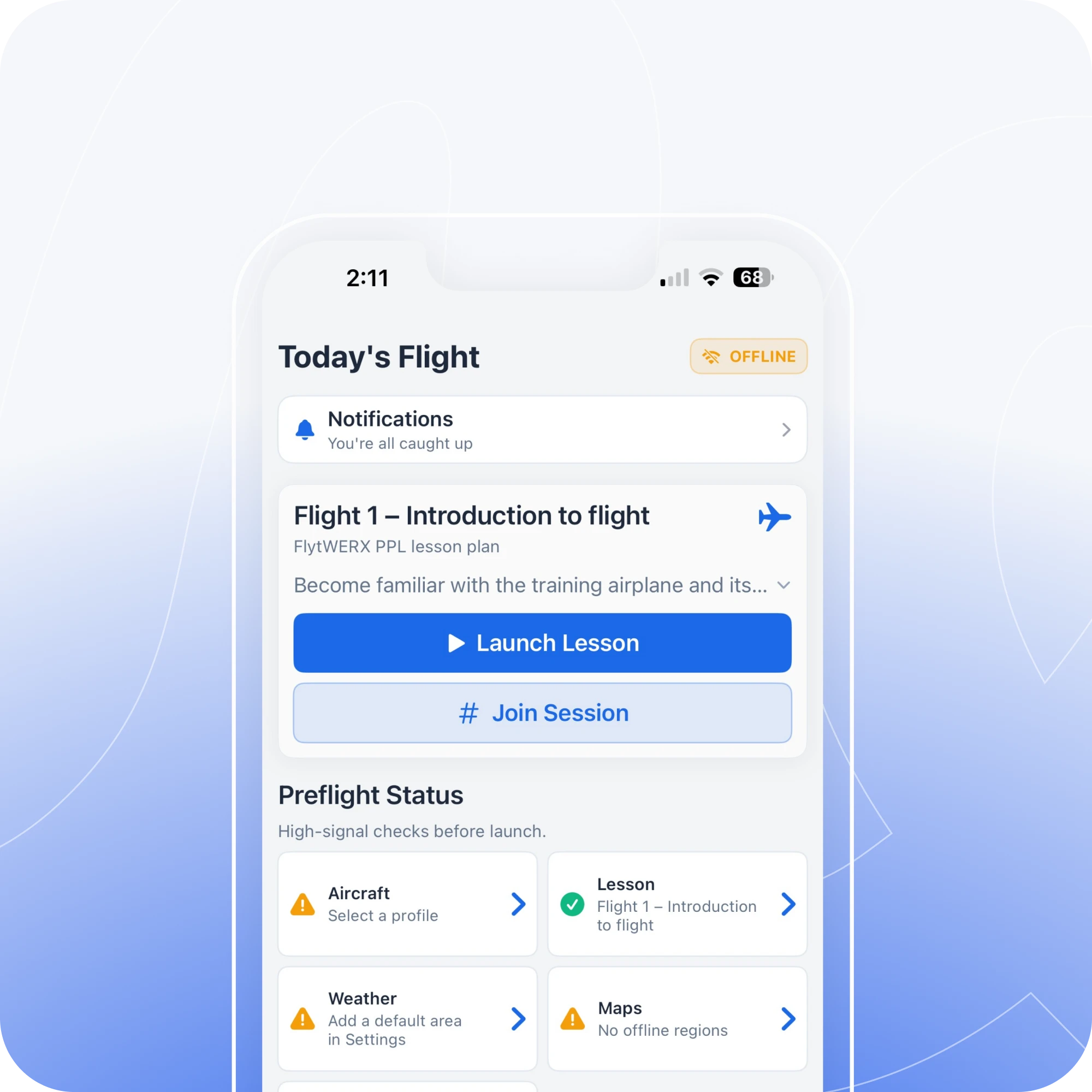
FlytWERX helps instructors give a fast, data-backed debrief while the mistake is still fresh, so students can understand the correction and try again during the same lesson.
Built for faster coaching moments in the air and after landing.
THE MOMENT MATTERS
Correct the issue while it is still fresh
By the time a traditional debrief starts, the student may already be disconnected from the exact moment that caused the issue. FlytWERX helps instructors point back to the flight data, show what happened, and coach the correction before the lesson moves on.
10-SECOND DEBRIEF
Turn the mistake into the next rep
FlytWERX helps CFIs quickly review maneuver performance, flight path, altitude, heading, and other key training data. Instead of explaining from memory, instructors can show students where the issue happened and what to fix next.
1
Fly the maneuver
2
Spot the issue
3
Show the student
4
Correct it and try again
FASTER INSTRUCTION
Show it. Explain it. Repeat it.
FlytWERX gives instructors a faster way to connect feedback to the exact moment it happened. When students can see the issue, understand the correction, and try again right away, the lesson becomes more focused and productive.
1
Show where it happened
Use flight data and maneuver history to point students to the exact moment that needs attention.
2
debrief while it is fresh
Give quick feedback during the lesson so students can connect the correction to what they just did.
3
Try again with a clear target
Help students repeat the maneuver with a better understanding of what to adjust on the next attempt.
TWO WAYS TO DEBRIEF
A better debrief, in the air and after the flight
FlytWERX gives CFIs two levels of feedback: quick coaching while the lesson is still fresh, and deeper review after landing.
Quick in-air debrief
Review the issue while it is still fresh. Show the student what happened, explain the correction, and give them a chance to try again during the same lesson.
Full post-flight review
Break down the lesson after landing with maneuver history, flight path, trends, notes, and areas for improvement so the next flight starts with a clear plan.
Simulator + aircraft connection
Use FlytWERX with supported telemetry sources from Microsoft Flight Simulator, Stratus, iPhone, and iPad data to connect ground practice with real flight training.
Instructor-Led, Data-Backed
You teach the lesson. FlytWERX shows the evidence.
FlytWERX does not replace instructor judgment. It gives CFIs a clearer way to support their coaching with flight data, maneuver performance, and student progress, so every correction is easier to explain and easier for the student to understand.
Help students correct it before the moment is gone
FlytWERX helps CFIs give fast, focused feedback while the mistake is still fresh. Show students exactly where the issue happened, explain the correction, and give them a chance to try again during the same lesson.