
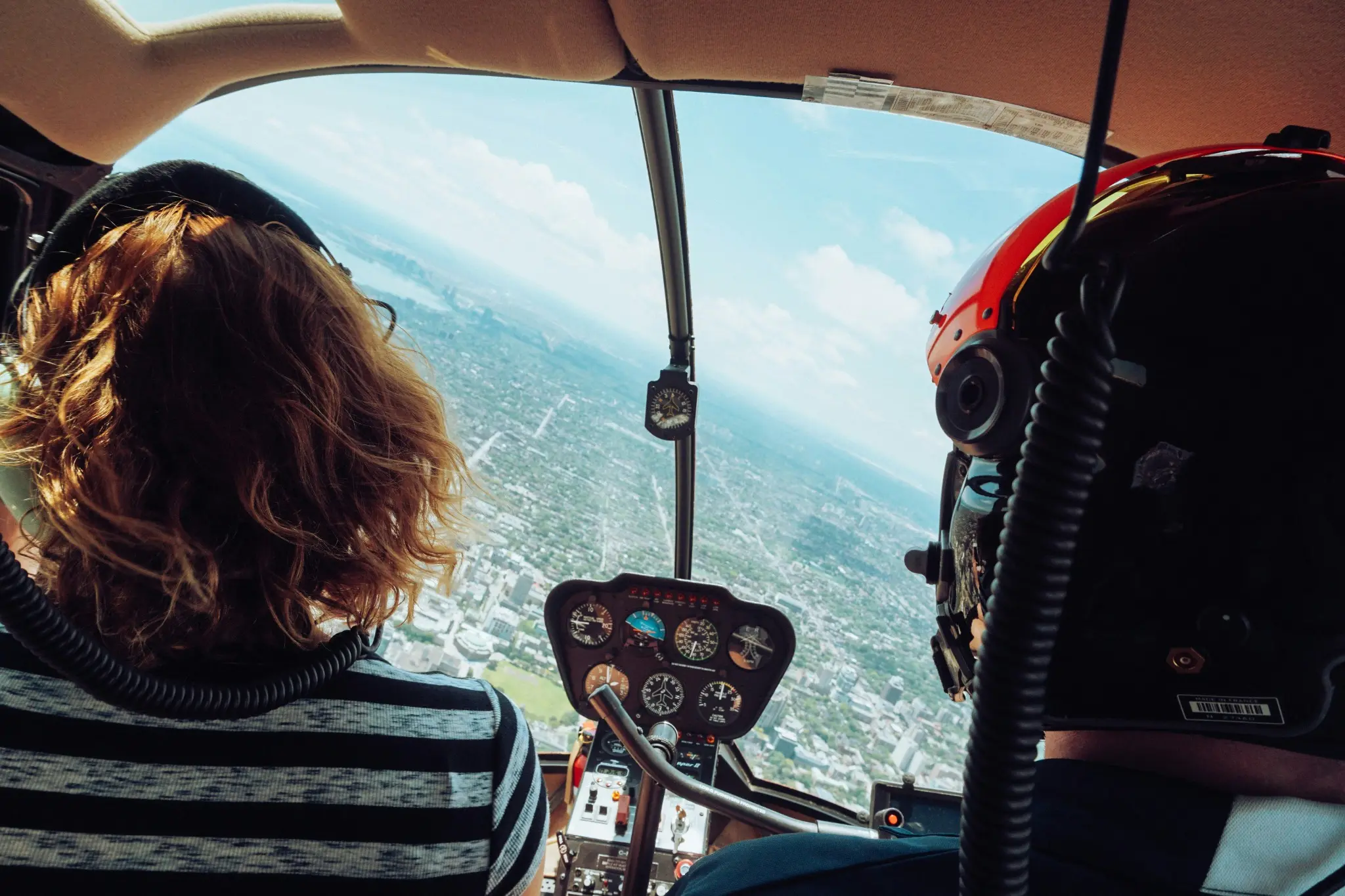
A vague solo plan creates vague practice: The plan says, "Practice landings." It does not identify the runway conditions, the objective, the stop criteria, or what to do if the first two approaches are unstable.
Productive solo practice is narrow, authorized, prebriefed, and designed to create a useful post-flight review.
Prepare productive solo practice by first confirming that the flight is legally authorized and appropriate for the known circumstances. Then assign a narrow objective, operating area, weather and wind limits, maneuver boundaries, stop criteria, communication plan, and postflight review. The student should know exactly what to practice, what not to practice, when to discontinue, and what evidence to bring back.
Authorization boundary: FlytWERX can support planning, data capture, replay, and debriefing. It does not issue solo endorsements, verify every legal requirement, approve weather, expand logbook limitations, authorize a maneuver, or determine that a student is safe to conduct a particular flight.
Start with current legal authorization
Under 14 CFR 61.87, a student pilot may not operate an aircraft solo unless the requirements of that section are met. For single-engine airplane training, the regulation requires aeronautical knowledge, logged pre-solo training in specified maneuvers and procedures, and satisfactory proficiency and safety as judged by an authorized instructor.
The regulation also requires a current logbook endorsement for the specific make and model aircraft. The instructor who authorizes the flight must have given the required training and determined that the student is proficient in the required maneuvers and procedures and in the applicable aircraft.
Under 14 CFR 61.195, a flight instructor may not endorse solo privileges unless the instructor has provided the required training and determined that the student is prepared to conduct the flight safely under the known circumstances, subject to any limitations the instructor considers necessary.
14 CFR 61.89 includes general student-pilot limitations, including restrictions involving passengers, visibility, visual reference to the surface, and operation contrary to instructor limitations in the logbook.
Before a solo practice assignment, verify through the official records and current sources:
- student pilot certificate and medical or permitted qualification, as applicable;
- current make-and-model solo endorsement;
- airport, airspace, cross-country, or night endorsements as applicable;
- instructor and school limitations;
- aircraft dispatch and airworthiness status;
- required training and knowledge review;
- weather and visibility requirements;
- school, operator, insurance, and rental requirements;
- any change in regulation or guidance.
Do not rely on a dashboard, calendar, or memory as the official authorization source.
Productive solo is narrower than legal solo
A flight can be legally authorized and still be a poor practice assignment for that day. The instructor should consider:
- current proficiency;
- recent performance;
- aircraft familiarity;
- wind and turbulence;
- runway and airport environment;
- traffic and ATC workload;
- density altitude and aircraft performance;
- visibility and ceiling;
- student fatigue, stress, confidence, and workload;
- instructor availability for the postflight review;
- whether the task can be practiced safely without immediate coaching.
The question is not only, "May the student fly?" It is also, "Is this specific flight, objective, aircraft, and set of conditions appropriate?"
Build the solo assignment in nine parts
1. State one primary objective
Examples:
- maintain a consistent normal traffic pattern and initiate a go-around whenever the prebriefed stability criteria are not met;
- practice two instructor-approved steep-turn repetitions in each direction using the selected entry flow and outside reference;
- fly assigned ground-reference patterns while maintaining the prebriefed altitude and adjusting for wind;
- practice straight-and-level, climbs, descents, and turns with a stable visual scan;
- complete an approved local route while following the specified checkpoints and decision gates.
Avoid assignments such as "go work on landings" without a defined focus.
2. Define what is not authorized
State boundaries explicitly.
Examples:
- no new maneuvers;
- no intentional stalls unless specifically authorized and appropriate;
- no simulated emergencies that create unnecessary risk;
- no short-field or soft-field work unless assigned;
- no crosswind above the logbook or school limit;
- no change of airport or practice area without authorization;
- no repeated approach after a specified number or time limit;
- no continuation after an aircraft, weather, traffic, or confidence concern;
- no use of an app as a substitute for the aircraft instruments or checklist.
A productive plan is clear about both the assignment and the boundary.
3. Set known operating limits
Confirm the applicable limits and where they are documented.
Include as appropriate:
- surface wind and gust;
- crosswind component;
- visibility and ceiling;
- turbulence;
- runway or surface condition;
- temperature and density altitude;
- fuel and time reserve;
- airport and airspace;
- practice-area boundaries and altitude;
- daylight or night limitations;
- aircraft limitations;
- maximum lesson duration or number of repetitions;
- instructor contact and return time.
Instructor limitations may be more restrictive than the general regulation. The student must follow the current logbook and school limitations.
4. Define the setup and standard
For each assigned maneuver, state:
- entry conditions;
- altitude and area;
- aircraft configuration;
- aircraft-specific speed or procedure;
- applicable lesson or ACS standard;
- instructor developmental target;
- traffic-clearing procedure;
- recovery or rollout;
- transition to the next phase.
Do not assign a numeric target without confirming that it applies to the aircraft, certificate level, lesson, and conditions.
5. Prebrief decision and stop criteria
The student should know what ends the attempt or flight.
Stop or discontinue as applicable when:
- the area is not clear;
- the student loses orientation;
- aircraft control is not satisfactory;
- weather differs materially from the plan;
- wind, gust, or turbulence reaches the applicable limit;
- an approach is outside the prebriefed criteria;
- runway traffic or an obstruction makes landing inappropriate;
- an abnormal indication or equipment issue appears;
- the student becomes overloaded, fatigued, confused, or uncomfortable;
- a required data or app function fails and the flight was improperly dependent on it;
- the maximum number of attempts or time is reached;
- the student is tempted to improvise beyond the assignment.
The correct outcome may be a go-around, return, landing, diversion, discontinuation, or contact with the instructor as appropriate.
6. Rehearse realistic scenarios
Use brief questions before the flight.
Examples:
- What will you do if the runway remains occupied?
- What if the wind changes after takeoff?
- What if the first two landings are unstable?
- What if the practice area is busy?
- What if the aircraft indication and FlytWERX eIAS differ?
- What if the student cannot remember the approved maneuver setup?
- What if a radio or navigation workload makes aircraft control degrade?
- What if confidence decreases during the lesson?
The objective is to prepare decisions before workload increases.
7. Configure the evidence plan
Decide what the student should capture without distracting from flying.
Possible items:
- automatic FlytWERX session capture;
- selected maneuver type and targets;
- one verbal or written note after landing;
- one screenshot during the postflight review, not during a critical flight phase;
- weather and wind source;
- aircraft and runway;
- actual number of attempts;
- first deviation and recognition;
- go-around or discontinuation event;
- a question for the instructor.
The student should not manipulate the app during a phase when attention belongs on aircraft control, traffic, navigation, or communication.
8. Explain the speed source
For supported live-flight review, FlytWERX calculates estimated indicated airspeed using GPS speed, current winds aloft, temperature, and the active wind correction. The pilot or instructor can enter more representative winds for the training area.
FlytWERX instructors have generally observed eIAS averaging approximately 1 to 3 knots from the airplane's indicated airspeed when the wind correction is current. This is a first-party field observation, not a certified specification or guarantee.
The student must fly using the aircraft's approved indication and the applicable procedure. eIAS supports postflight review. Before the solo flight, confirm:
- wind source and update time;
- whether local winds should be entered;
- temperature source;
- device and telemetry setup;
- that the student understands eIAS is an estimate;
- that the app is not required for safe aircraft operation.
9. Schedule the postflight review
Define:
- when the student will report after landing;
- required aircraft and school records;
- how discrepancies are reported;
- which session or maneuver will be reviewed;
- what the student should self-assess;
- what the instructor will verify;
- whether another solo assignment is possible only after review.
A solo practice plan is incomplete if no one reviews whether the objective was achieved safely.
Use the FAA learner-centered debrief after the flight
Replay
The student reconstructs the flight before being shown every score or graph.
Reconstruct
Student and instructor identify what could, would, or should have been done differently.
Reflect
The student explains what was learned about the aircraft, conditions, maneuver, or decision.
Redirect
The instructor changes the next assignment, limitation, lesson, or objective as appropriate.
The instructor must still complete any required record, endorsement, limitation, or training decision through the official process.
A realistic solo-practice assignment
Student status:
Student has a current make-and-model solo endorsement and has demonstrated satisfactory traffic-pattern proficiency in the known conditions. The official records and limitations have been verified.
Objective:
Complete up to four normal traffic patterns. Maintain the approved pattern, aircraft-specific configuration and speed, runway track, and stabilized approach. Initiate a go-around without delay whenever the prebriefed criteria are not met or the runway is not clear.
Conditions:
Local airport only. Wind and gust within the student's documented limitation. Day VFR. No short-field, soft-field, simulated engine failure, or new technique. Return if conditions differ materially from the plan.
Stop criteria:
Stop after two consecutive unstable approaches, any instructor-limit exceedance, abnormal aircraft indication, significant traffic uncertainty, increasing frustration, or loss of confidence.
Evidence:
FlytWERX captures the session automatically. Student records the runway, wind, number of patterns, go-arounds, first recurring deviation, and one question after securing the aircraft.
Postflight:
Instructor and student review the first approach, the strongest approach, and any go-around. The next assignment depends on the review.
This example does not authorize any real student. The instructor must adapt it to the actual student, aircraft, airport, endorsement, and conditions.
What FlytWERX can support
Current public FlytWERX materials describe offline flight capture, maneuver tracking, replay, performance feedback, student-instructor linking, shared lesson targets, lesson plans, notes, training history, messaging, and school workflows. Product behavior and school settings can change.
FlytWERX can help:
- preserve the assigned objective;
- capture the flight without internet;
- separate individual attempts;
- show recorded deviations and trends;
- document a go-around or discontinuation;
- connect student and instructor for review;
- carry one correction into the next lesson.
It cannot verify runway clearance, traffic awareness, current endorsements, every aircraft limitation, exact wind, control feel, coordination, checklist completion, or safe solo authorization.
Avoid common solo-practice errors
Too broad an objective
"Practice landings" encourages quantity without a defined learning goal.
No stop rule
A frustrated student may continue repeating a deteriorating pattern.
New technique introduced through a note or app
New aircraft technique should be taught and evaluated by the instructor before solo use.
Unclear weather source
The student needs a defined process for checking conditions and applying instructor limitations.
App dependence
The flight must remain safe if the phone, tablet, bridge, telemetry, battery, network, or app becomes unavailable.
No distinction between eIAS and cockpit IAS
The aircraft indication remains controlling in flight.
No postflight review
Without review, an instructor may unknowingly authorize repetition of an incorrect pattern.
Is FlytWERX a fit for this instructor workflow?
Which plan should a CFI evaluate?
Use Sim-Only for simulator-only preparation and review. Use In-Air + Sim when the CFI needs real-flight telemetry, real maneuver tracking, or a live and post-flight debrief. A multi-user school deployment should be scoped separately. Verify current plan inclusions on the FlytWERX pricing page.
What should a focused test prove?
A useful test should show that the solo objective, authorization, limits, stop criteria, and review method are clear. Use several real lessons, include an ordinary session rather than only the cleanest example, and document what still requires instructor observation or judgment.
For the full buying details, use the pricing and plan comparison, flight-school implementation, data migration and record continuity, ROI measurement, and software comparison.
Put this into practice
Write a solo brief with authorization, objective, limits, stop criteria, and the post-flight review plan. Review the result with the person who owns the training decision, then use the next comparable attempt to test whether the change worked.
Next step: Assign a Measurable Practice Plan With FlytWERX.
Important operating and training limits
This article is educational. It does not replace a qualified flight instructor, the current POH/AFM, required endorsements or records, approved school procedures, ATC instructions, or pilot-in-command judgment. FlytWERX supports performance review and debriefing; it is not a primary flight instrument and does not determine proficiency, readiness, authorization, or regulatory compliance by itself.
Frequently asked questions
Can a CFI assign a new maneuver for a student to learn solo?
The instructor should provide the required training and determine that the student is prepared and authorized for the activity. A solo assignment should reinforce trained skills within current endorsements and limitations, not use the student as the test pilot for a new technique.
Does a current endorsement make every day appropriate for solo?
No. The flight must also comply with current regulations and instructor limitations, and the instructor or school may decide that the known conditions or training purpose are not appropriate.
How many repetitions should a solo assignment include?
The FAA sources used here do not prescribe one universal number. The instructor should set a limit based on the student, objective, conditions, fatigue, traffic, and diminishing training value.
Can FlytWERX tell the student to continue or stop?
The product can display recorded information and feedback. The student must follow the aircraft, instructor, regulations, school procedures, prebriefed criteria, and real-time conditions.
Should a solo student update winds in FlytWERX during flight?
Do not create cockpit distraction. The instructor should define whether and when an input may be updated. More representative winds can improve postflight eIAS, but aircraft control and operational duties take priority.
- 14 CFR 61.87 - Solo requirements for student pilots
- 14 CFR 61.89 - General limitations for student pilots
- 14 CFR 61.189 - Flight instructor records
- 14 CFR 61.195 - Flight instructor limitations and qualifications
- AC 61-65K - Certification: Pilots and Flight and Ground Instructors
- FAA Aviation Instructor's Handbook
- Aviation Instructor's Handbook, Chapter 6 - Assessment
- Aviation Instructor's Handbook, Chapter 9 - Techniques of Flight Instruction
- Aviation Instructor's Handbook, Chapter 10 - Teaching Practical Risk Management
- FlytWERX product page
- FlytWERX App Store listing
- FlytWERX Privacy Policy
- FlytWERX eIAS methodology